Simple pricing, built around your market.
Your campaign total starts with the email areas you select. Then choose how you want your flyer handled, add any extras that support your campaign, and decide whether to schedule additional send dates now or reorder a completed campaign later.
How your campaign is priced
Your Market Sets the Base Price
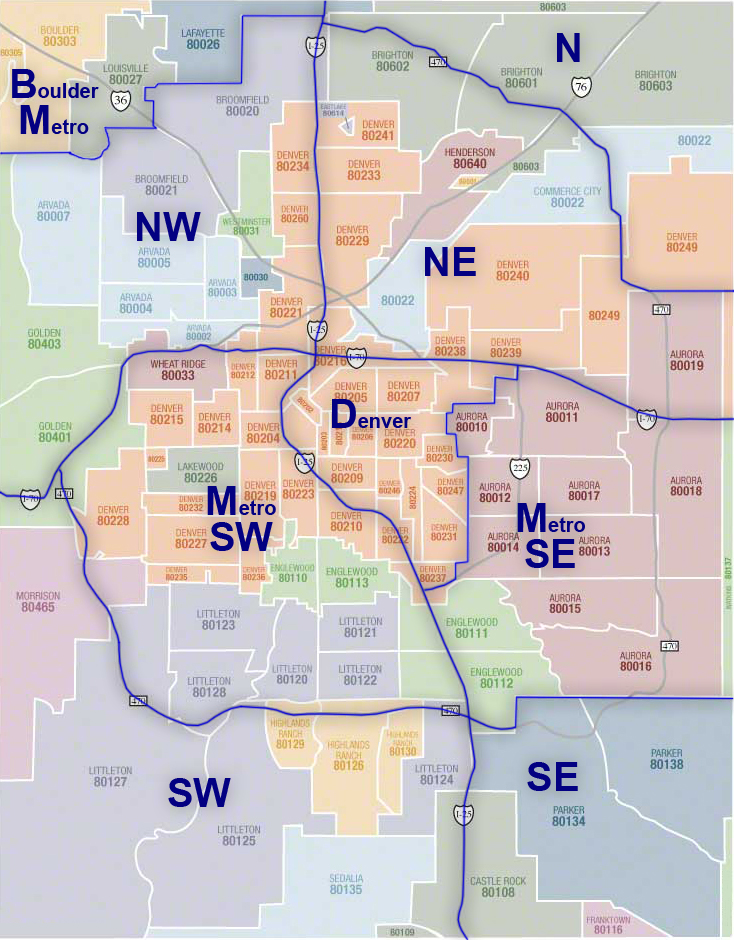
Each available email area has its own recipient coverage and campaign price. Browse available areas before ordering, or select them in the Order Form to see your total update.
View Areas & PricingChoose Your Flyer Path
Choose the option that matches your timeline, available creative, and the presentation you want for your campaign.
DESIGN OPTIONSAdd Visibility When It Helps
Add either option, or both, when you want your campaign to have additional online visibility beyond the email delivery.
OPTIONAL VISIBILITYAdd Future Send Dates and Save 20%
NEW ORDER SCHEDULINGWhen you add future send dates while placing a new campaign order, each additional send date is discounted 20% off the email-area price selected for the first campaign.
ReOrder a Previous Campaign and Save $10
PREVIOUS-ORDER RESENDUse ReOrder to resend a completed previous campaign and receive a $10 resend discount. You may update the subject line, but the flyer file itself must remain exactly the same as the original order.
Your total, in three clear steps
Select Your Email Areas
Your base campaign price is determined by the markets you choose.
Choose Your Flyer Option
Upload your own flyer, choose template creation, or request custom design.
Choose Your Repeat-Delivery Path
Add future send dates at 20% off the first campaign's selected area price, or use ReOrder later for a $10 discount on a previous completed order.
Your total updates as you build your order.
Need Help Choosing an Option?
Start with Email Areas if you are deciding where to send. Start with the Order Form if you already know your market and are ready to build your campaign.
Ready to See Your Campaign Total?
Choose your email areas, upload your flyer or request design help, and watch your total update as you build your campaign. Add future send dates now, or use ReOrder later to resend a completed campaign.